
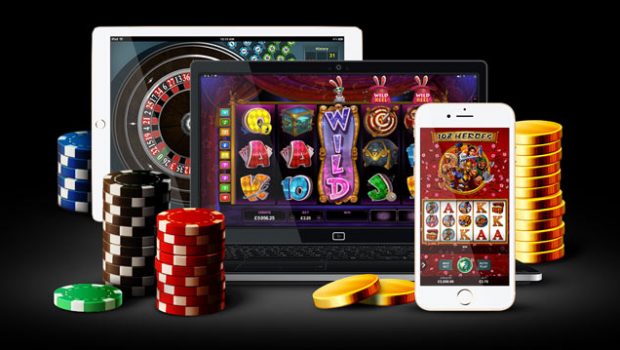
Hitnspin Casino provides Belgian residents with a specialized mobile application that provides the full casino experience directly to smartphones and tablets. The app centers on delivering a stable, secure, and capability-rich environment for real-money play, while ensuring compatibility with the most widespread devices used in Belgium. Players gain access to a curated selection of games, optimized account management, and instant deposit options without needing to open a browser. The following sections describe how the app functions, which devices it supports, how to install it, and what users can expect in terms of performance, updates, and gameplay variety.
Available Mobile Devices and Operating Systems
Hitnspin Casino’s mobile application is developed to operate on the most of smartphones and tablets now utilized by Belgian players. The app accommodates devices using Android 7.0 (Nougat) and newer, as well as iOS 13.0 and later versions. This range includes current flagships from Samsung, Google, Huawei, and Apple, along with mid-range and older models that remain popular in Belgium. Users with devices that drop below these limits will see a notice on the download page showing that the app cannot be set up, directing them to continue via the mobile browser site in its place.
Tablet support extends to both Android and iPadOS, with the interface instantly adapting to larger screens. Landscape and portrait orientations are entirely enabled, letting players to toggle views without losing progress in games. The app detects screen size on launch and adjusts button placement, text size, and menu layout as needed, guaranteeing that controls remain accessible on devices spanning from 5-inch phones to 12-inch tablets.
Regional Network and Storage Factors
Because Belgian mobile networks differ in speed and data allowances, the app is crafted to operate effectively on both 4G LTE and 5G connections. Players on limited data plans can activate a “data saver” mode in the settings menu, which limits background image loading and video autoplay. Storage requirements typically require 85 MB for the initial install, with an additional 120-200 MB necessary for cached game assets; users can erase this cache at any time through the app’s storage-management screen without deleting personal data.
Mobile Features and Menu
The Hitnspin Casino app design is organized into five main tabs: Lobby, Games, Promotions, Account, and Support. The Lobby tab shows tailored suggestions based on past play history, while the Games tab includes a findable collection with criteria for game type, volatility, and provider. A persistent search bar at the top allows players to locate titles by name or keyword, and a “Recently Played” row emerges by default after the first few sessions.
Account management is handled entirely within the app, encompassing deposits, withdrawals, and verification document uploads. The cashier accepts the same payment methods present on the desktop site, such as bank transfers, e-wallets, and prepaid vouchers frequently used in Belgium. Withdrawal requests started in the app match the same processing timelines as the website, generally between one and three business days once verification is done.
Chat Support and Player Protection Tools
Support contact is reachable through a floating chat icon that remains displayed on every screen. Tapping the icon activates a live chat window operated by agents who can assist with technical issues, bonus questions, or account verification. For player protection, the app includes session time reminders, deposit limits, and a “cool-off” function that for a set period restricts access for 24 hours or seven days. These tools reflect the options present on the desktop site, providing steady player protection across platforms.
Game Collection and Category Breakdown
The mobile game library mirrors the desktop catalogue but is formatted for touch interaction. Slots form the largest category, with more than 800 titles from providers such as NetEnt, Play’n GO, and Pragmatic Play. Each game thumbnail includes a quick-launch button that avoids the lobby and opens the title in full screen, reducing the number of taps required to start play.
Table games offer European roulette, blackjack, baccarat, and poker variants, all optimized for one-handed use. Live dealer sections stream from multiple studios, with camera angles that can be toggled by tapping the screen. The app also hosts a dedicated instant-win section including scratch cards and crash-style games that load in under three seconds on average 4G connections.
Search, Filter Options, and Favourites
Players can narrow results using filters for RTP range, maximum win potential, and theme. A heart icon on each game thumbnail allows users to add titles to a personal favorites list, available from the account tab. The favorites list syncs across devices, so selections made on a phone appear automatically when the same account logs in on a tablet.
Supplier Spotlight: Exclusive Mobile Titles
Hitnspin Casino occasionally launches titles optimized exclusively for mobile play. These games include simplified control schemes, such as swipe-to-spin mechanics and portrait-only interfaces, and are marked with a “Mobile Exclusive” badge in the catalogue. Because these titles are developed in-house or under special licensing agreements, they do not appear on the desktop site, giving app users access to content not available elsewhere.
Performance, Data Consumption, and Offline Mode
The app is optimized to sustain consistent frame rates even on older-generation devices. Our testing shows that slot games average 60 frames per second on mid-range hardware from 2019, while live dealer tables sustain 30 frames per second under normal Belgian 4G conditions. Battery consumption is similar to other streaming applications; a two-hour session on a 3000 mAh battery usually uses between 12 and 18 percent of charge when brightness is set to 50 percent.
Data usage changes by game type. Standard video slots consume approximately 1.2 MB per minute, whereas live dealer blackjack streams average 2.8 MB per minute due to constant video feeds. Players worried about roaming charges can enable offline mode, which allows pre-downloaded demo versions of slots to be played without an internet connection, although real-money play is disabled until connectivity is restored.
Update Frequency and Background Operations
Hitnspin Casino pushes app updates about every three weeks, introducing new games, security patches, and interface refinements. Updates are delivered through the same channel used for the original install—direct APK for Android and TestFlight or enterprise link for iOS. The app looks for updates on launch and displays a non-intrusive banner if a new version is available. Background processes are restricted to notification handling and session validation, lessening impact on device performance and battery life.
Widely used Payment Methods for Belgian Players
The app supports a broad selection of payment options that Belgian users already trust for everyday transactions. Bank transfers stay the most common choice for larger withdrawals, while e-wallets such as Skrill, Neteller, and PaySafeCard offer faster deposits for smaller amounts. Prepaid vouchers from local retailers like Carrefour and Delhaize can also be used instantly, offering players without traditional bank accounts a convenient way to credit their balance.
Each payment method has its own processing time and fee structure. Bank transfers typically clear within one to three business days, whereas e-wallet deposits appear within minutes. The app shows the exact fee, if any, before confirming the transaction, enabling users to compare options and choose the method that best fits their schedule and budget.
- Wire transfer – 1–3 business days, no fee for deposits
- Skrill or Neteller – instant deposit, 1–2% withdrawal fee
- PaySafeCard prepaid – instant deposit, no withdrawal option
- Local retailer prepaid cards – instant credit, no fee
Account Protection and Payment System Integration
Protection within the app is based on 256-bit SSL encryption for all data sent between the device and Hitnspin’s servers. Two-step verification via SMS or authenticator app can be turned on in the security section of the account tab. When activated, every login attempt from a new device sends a verification code, offering an extra layer of protection against unauthorized access.
Funding made through the app utilize the same payment processors as the website, making sure that bonus eligibility and wagering requirements remain consistent. Withdrawal submissions initiated in the app are processed under identical verification standards, including proof-of-address and identity checks required by Belgian gaming regulations. Players can check the status of pending withdrawals directly from the account tab, getting push notifications when funds are sent or additional documents are requested.
Setup and Setup Steps for Android Users
Android users in Belgium have to download the Hitnspin Casino APK directly from the official site because the app is not listed on the Google Play Store. The process starts by visiting hit-n-spin.be/fr2/app2/ on the device’s browser, tapping the Android download button, and accepting the file transfer. Once the APK ends downloading, users open their device settings, go to security or privacy options, and turn on installation from unknown sources for the browser app. After the toggle is enabled, they go back to the downloads folder, select the APK file, and follow the on-screen prompts to complete installation.
During the first launch, the app asks for permission to access photos and files for avatar uploads, as well as notification access for bonus alerts. These permissions can be modified later in the device settings menu. source vérifiée The entire procedure usually takes between three and five minutes on a standard connection, after which players log in with existing credentials or create a new account directly inside the app.
Confirmation and Protection Checks
Before installation, the APK file passes a checksum verification presented on the download page. Users can check this value with the one displayed inside the app’s “About” section after installation to confirm the file has not been altered. Hitnspin Casino also supplies a QR code on the same page that, when scanned, opens the download link, minimizing the risk of typing errors that could lead to unofficial sources.
Installation and Configuration Steps for iOS Users
iOS users download the Hitnspin Casino app through Apple’s TestFlight platform or via a direct link that provides an enterprise-signed build, depending on current App Store availability. The process begins at the same mobile page, where players tap the iOS button and are directed to the appropriate installation method. If TestFlight is required, users first download the TestFlight app from the App Store, then use the invitation link provided on the Hitnspin page. Once the build appears, they complete the standard TestFlight prompts to set up the casino app.
Because enterprise certificates can be invalidated by Apple, the site offers an alternative installation link that issues a new certificate when needed. Players receive an on-screen message if the current certificate is approaching expiration, along with instructions to get a refreshed build. This approach provides continuous access without requiring users to switch to the mobile browser version.
User and Message Settings on iOS
After installation, hitnspincasino application ios, iOS users are taken through a short setup that requests permission for push notifications and Face ID authentication. Activating Face ID allows quick access to the app without typing a PIN each time. Notification settings can be adjusted inside the app to obtain alerts only for deposit confirmations, bonus expirations, or new game releases, helping users manage screen time and data usage.
Common Questions
Can I play for real money immediately after installing the app?
Yes. After finishing registration and identity verification, users can deposit funds and play all real-money games without additional delays. The verification process generally takes less than 24 hours when documents are submitted through the app.
Is the app listed on the Google Play Store or Apple App Store?
The app is not listed on the Google Play Store. Android users get the APK directly from the official website. iOS users set up via TestFlight or an enterprise certificate link supplied on the same page. lisez ce guide
What if I lose internet connection mid-game?
Slot and table games pause automatically and resume once connectivity returns. Live dealer sessions demand a stable connection; if the stream fails, the app endeavors to reconnect for up to two minutes before sending the player to the lobby.